
Aller au contenu
View in the app

A better way to browse. Learn more.

S.C.C.T

A full-screen app on your home screen with push notifications, badges and more.

To install this app on iOS and iPadOS
  1. Tap the Share icon in Safari
  2. Scroll the menu and tap Add to Home Screen.
  3. Tap Add in the top-right corner.
To install this app on Android
  1. Tap the 3-dot menu (â‹®) in the top-right corner of the browser.
  2. Tap Add to Home screen or Install app.
  3. Confirm by tapping Install.

job_10

Membres
  • Inscription

  • Dernière visite

Tout ce qui a été posté par job_10

  1. job_10 a répondu à un sujet de Jno10 dans Châssis
    Belle restoration Jno
  2. job_10 a répondu à un sujet de job_10 dans Automobiles
    Bonne Année 2008 à tous avec une petite vidéo de ma cobra
  3. job_10 a répondu à un sujet de job_10 dans Automobiles
    Salut Alex Oui c'est bien la mienne ; tu l'as eu sur un forum ? Et toute mes excuses pour le doublon Réplique (je n'avais pas fait gââffe) (celui la pourrait être réservé vidéo !!) Oui j'ai participé au rallye Petit Poucet avec mon fils ( en Seven) On a ''cascrouté'' à la même table @+ Joel
  4. un sujet a posté job_10 dans Automobiles
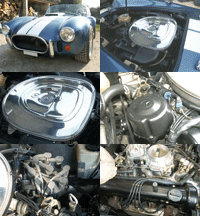
    C'est une réplique d'AC Cobra avec moteur V8 MB 5,6l ( constructeur allemand Lorenz ) Depuis le temps que je devais faire une petite vidéo et bien la voici :
Account

Navigation

Rechercher

Rechercher

Configure browser push notifications

Chrome (Android)
  1. Tap the lock icon next to the address bar.
  2. Tap Permissions → Notifications.
  3. Adjust your preference.
Chrome (Desktop)
  1. Click the padlock icon in the address bar.
  2. Select Site settings.
  3. Find Notifications and adjust your preference.