
Skip to content
View in the app

A better way to browse. Learn more.

S.C.C.T

A full-screen app on your home screen with push notifications, badges and more.

To install this app on iOS and iPadOS
  1. Tap the Share icon in Safari
  2. Scroll the menu and tap Add to Home Screen.
  3. Tap Add in the top-right corner.
To install this app on Android
  1. Tap the 3-dot menu (â‹®) in the top-right corner of the browser.
  2. Tap Add to Home screen or Install app.
  3. Confirm by tapping Install.

kirschrot

Membres
  • Joined

  • Last visited

Everything posted by kirschrot

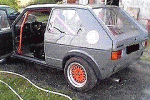
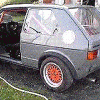
  1. Bonjour à tous, possesseur d'une GOLF GTI/1 petits feux, et envisageant très sérieusement être parmi vous la prochaine saison je souhaiterais assister en spectateur à votre journée Magny cours en me présentant rapidement : mon age, plus de 70 ans, toujours tutoyé et participé à la compétition automobile, y compris en VEC ( avant VHC) dans les années 80, environ 3/4 saisons la voiture en question est une ex F/2000 avec passeport FFSA, Cordialement
Account

Navigation

Search

Search

Configure browser push notifications

Chrome (Android)
  1. Tap the lock icon next to the address bar.
  2. Tap Permissions → Notifications.
  3. Adjust your preference.
Chrome (Desktop)
  1. Click the padlock icon in the address bar.
  2. Select Site settings.
  3. Find Notifications and adjust your preference.