


Sourire
Membres
-
Inscription
-
Dernière visite
Tout ce qui a été posté par Sourire
-
ça devient :blink: http://www.leboncoin.fr/voitures/681104364.htm?ca=12_s Autant aller chercher ça pour moins cher (même si cela reste cher) http://www.leboncoin.fr/voitures/679227253.htm?ca=12_s
-
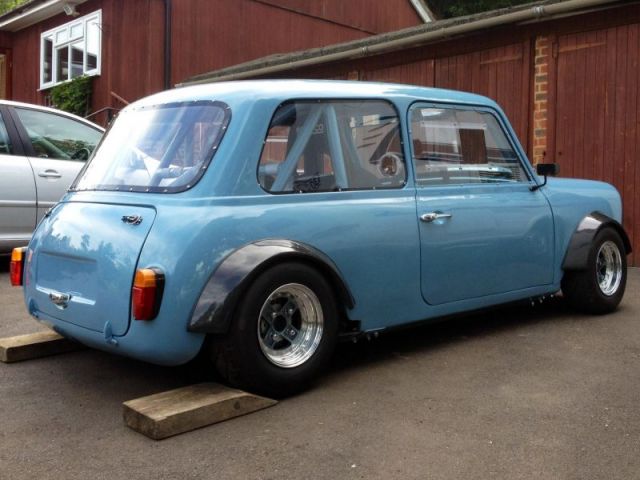
Chez le vendeur a qui j'ai acheté ma midget. Raoul peut confirmer, elle était placée en hauteur http://www.ebay.co.uk/itm/AUSTIN-HEALEY-SPRITE-MIDGET-LENHAM-STYLE-PROJECT-/141331442795?pt=Automobiles_UK&hash=item20e802ac6b&nma=true&si=xZN6IRlpoyiTvvzHeJ07J9afRP4%253D&orig_cvip=true&rt=nc&_trksid=p2047675.l2557#ht_722wt_1399Pour la minus bleue -> http://www.theminiforum.co.uk/forums/topic/175593-it-begins-minus/page-42http://www.leboncoin.fr/voitures/665372842.htm?ca=12_s
 Y a surtout du Marcos la dessousSur les miglia il y a toujours du beau matos aussi bien sur la caisse, les suspensions que sur le moteur, je suis toujours admiratif du travail fait et surtout de la finition apportée sur certaines autos (exemple chez Dale motorsport)IMP http://www.leboncoin.fr/voitures/618214516.htm?ca=12_sIntéressant ce système


 Pour moi la ligne la plus sympa c'est celle ci
 Entièrement d'accord et j'aimerai savoir piloter comme ça !Cadeau :ph34r: http://www.heritagegarage.com/sprint_restoration.htmOu les gants et la cagoule après une course ...intéressant la tringlerieAlors quelqu'un à trouver?















Account
Navigation
Rechercher
Configure browser push notifications
Chrome (Android)
- Tap the lock icon next to the address bar.
- Tap Permissions → Notifications.
- Adjust your preference.
Chrome (Desktop)
- Click the padlock icon in the address bar.
- Select Site settings.
- Find Notifications and adjust your preference.
Safari (iOS 16.4+)
- Ensure the site is installed via Add to Home Screen.
- Open Settings App → Notifications.
- Find your app name and adjust your preference.
Safari (macOS)
- Go to Safari → Preferences.
- Click the Websites tab.
- Select Notifications in the sidebar.
- Find this website and adjust your preference.
Edge (Android)
- Tap the lock icon next to the address bar.
- Tap Permissions.
- Find Notifications and adjust your preference.
Edge (Desktop)
- Click the padlock icon in the address bar.
- Click Permissions for this site.
- Find Notifications and adjust your preference.
Firefox (Android)
- Go to Settings → Site permissions.
- Tap Notifications.
- Find this site in the list and adjust your preference.
Firefox (Desktop)
- Open Firefox Settings.
- Search for Notifications.
- Find this site in the list and adjust your preference.