
Triumph Only
Membres
-
Inscription
-
Dernière visite
Tout ce qui a été posté par Triumph Only
-
Léa? Le nouveau modèle d'une bonne marque! :lol: Surveillez bien la consommation, elle ne fera qu'augmenter.... ;)
-
Vu sur HOT CARS de Juin 1970

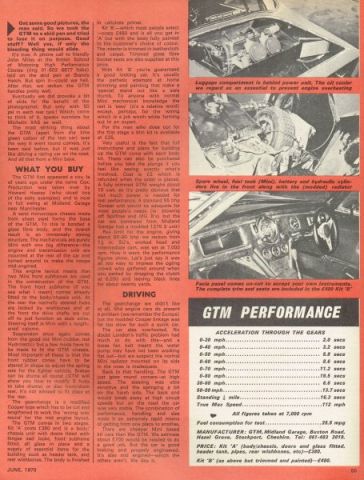 Super cadeau! :) Pareil que Clément!Olé!!C'est comme pour le rhume, il guerit en 7 jours avec médicaments, une semaine sans..... :rolleyes:Ouais et puis comme ça on voit pas les chaussettes.... :D :D :DAlors BOND 875 mais j'ai pas de photo!C'est quoi 3 rouse? Sinon il y a GILBERN GenieJamais entendu cette marque, Cédric! :DEt l'engin à la calandre semblable à une Alfa et au toit de Karmann-ghia?? C'est quoi donc?ca viens, ca viens....Swatch? Il est monté fin..... :P :P :PC'est à cause de la jupette? :rolleyes:
Account
Navigation
Rechercher
Configure browser push notifications
Chrome (Android)
- Tap the lock icon next to the address bar.
- Tap Permissions → Notifications.
- Adjust your preference.
Chrome (Desktop)
- Click the padlock icon in the address bar.
- Select Site settings.
- Find Notifications and adjust your preference.
Safari (iOS 16.4+)
- Ensure the site is installed via Add to Home Screen.
- Open Settings App → Notifications.
- Find your app name and adjust your preference.
Safari (macOS)
- Go to Safari → Preferences.
- Click the Websites tab.
- Select Notifications in the sidebar.
- Find this website and adjust your preference.
Edge (Android)
- Tap the lock icon next to the address bar.
- Tap Permissions.
- Find Notifications and adjust your preference.
Edge (Desktop)
- Click the padlock icon in the address bar.
- Click Permissions for this site.
- Find Notifications and adjust your preference.
Firefox (Android)
- Go to Settings → Site permissions.
- Tap Notifications.
- Find this site in the list and adjust your preference.
Firefox (Desktop)
- Open Firefox Settings.
- Search for Notifications.
- Find this site in the list and adjust your preference.