

Tout ce qui a été posté par Sourire
-
Les MG
- Les Ford
- Tracteurs
- Les Ford
- Autos sur Ebay et 'net
https://www.leboncoin.fr/voitures/2164146673.htm https://www.gtlabel.com/catalogue/toyota-corolla-coupe-ke25-gr-4-4age-engine-11-000-tr-min-race-history/- L'EST
- Les Formules et Protos
- Les Porsche
- Les Autres Anglaises
- Les Ford
- Les Italiennes
- Les Porsche
- Les Américaines
- Les Italiennes
- Vivre avec son temps ?
- Les Vw Post Et Hors Golf1
- Les BMW
- Les Alfa Romeo
- Les Ford
- Trucs et astuces !
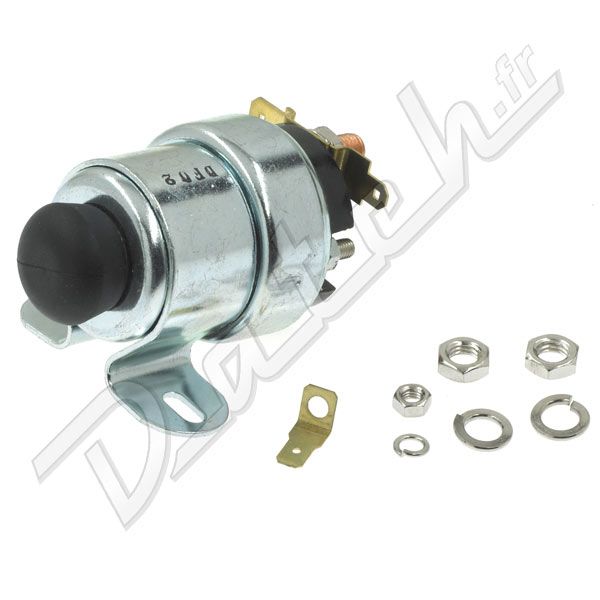
Pour nos anglaises, notamment austin mini, MG midget, vous pouvez installer un solénoïde de démarrage comme celui ci pour avoir cette fonction, c'est bien pratique lorsque vous faites des réglages moteur par exemple- Vidéo De La Semaine
- Les Spridgets et dérivés
Y a eu des escort 1300GT homologuée, ça sortait 140ch à l'époque je crois- Les Spridgets et dérivés
- Vidéo De La Semaine
On dirait quelqu'un que l'on connait 😏😏- Trucs et astuces !
Je suis preneur, super sujet !!!Navigation
Rechercher
Configure browser push notifications
Chrome (Android)
- Tap the lock icon next to the address bar.
- Tap Permissions → Notifications.
- Adjust your preference.
Chrome (Desktop)
- Click the padlock icon in the address bar.
- Select Site settings.
- Find Notifications and adjust your preference.
Safari (iOS 16.4+)
- Ensure the site is installed via Add to Home Screen.
- Open Settings App → Notifications.
- Find your app name and adjust your preference.
Safari (macOS)
- Go to Safari → Preferences.
- Click the Websites tab.
- Select Notifications in the sidebar.
- Find this website and adjust your preference.
Edge (Android)
- Tap the lock icon next to the address bar.
- Tap Permissions.
- Find Notifications and adjust your preference.
Edge (Desktop)
- Click the padlock icon in the address bar.
- Click Permissions for this site.
- Find Notifications and adjust your preference.
Firefox (Android)
- Go to Settings → Site permissions.
- Tap Notifications.
- Find this site in the list and adjust your preference.
Firefox (Desktop)
- Open Firefox Settings.
- Search for Notifications.
- Find this site in the list and adjust your preference.
- Les Ford